 PixelMusic
Download for Android
LatestUniversal APK, signed and ready to install. Works on every supported CPU.
Download v1.8.11app-universal-release.apk · 71.6 MB · 1,862 downloads
Pixel Music for Android v1.8.11
PixelMusic (also searched as Pixel Music) plays your lossless files and streams from YouTube Music and Telegram. It has no ads, it is free and open source, and it runs on Android 11 and above.
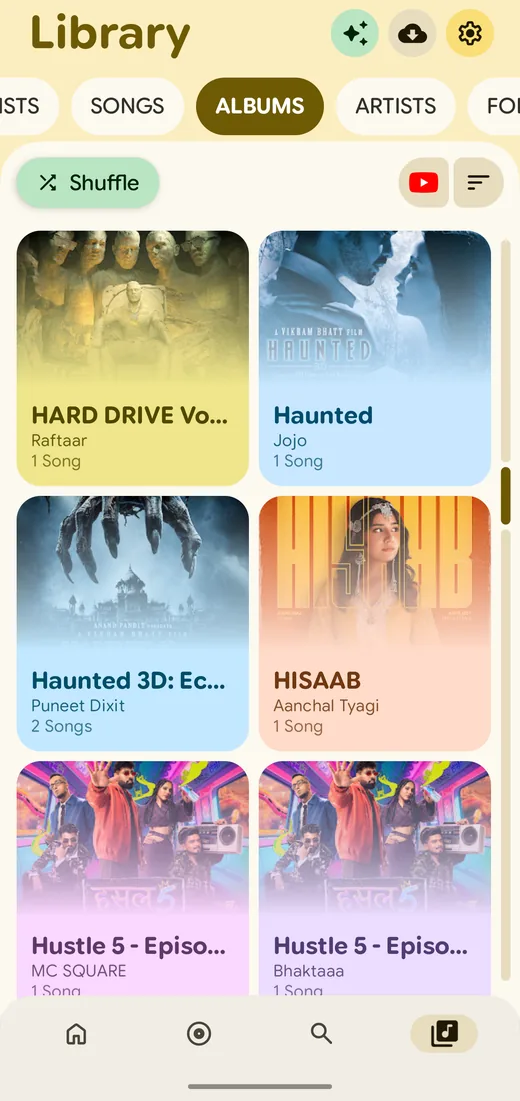
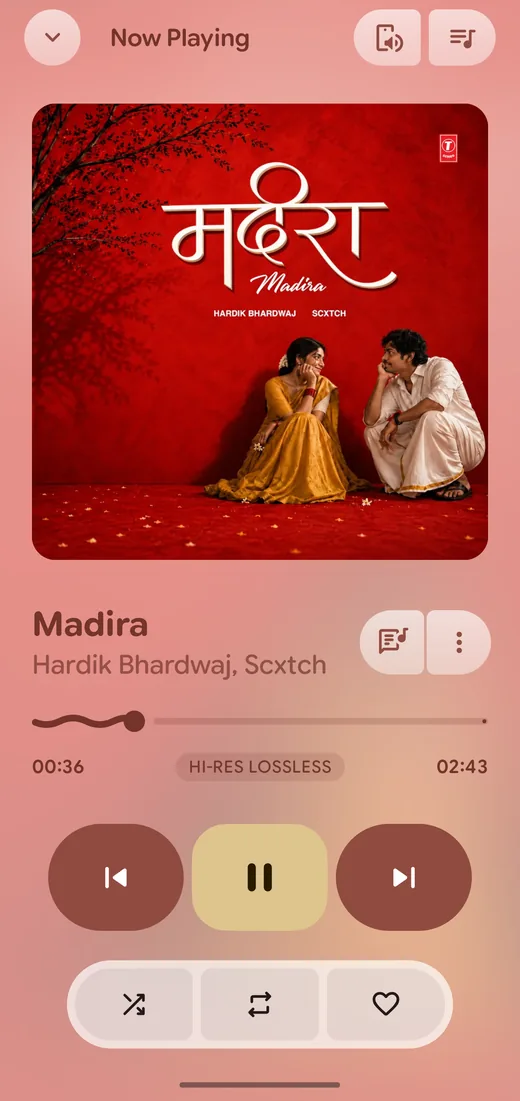
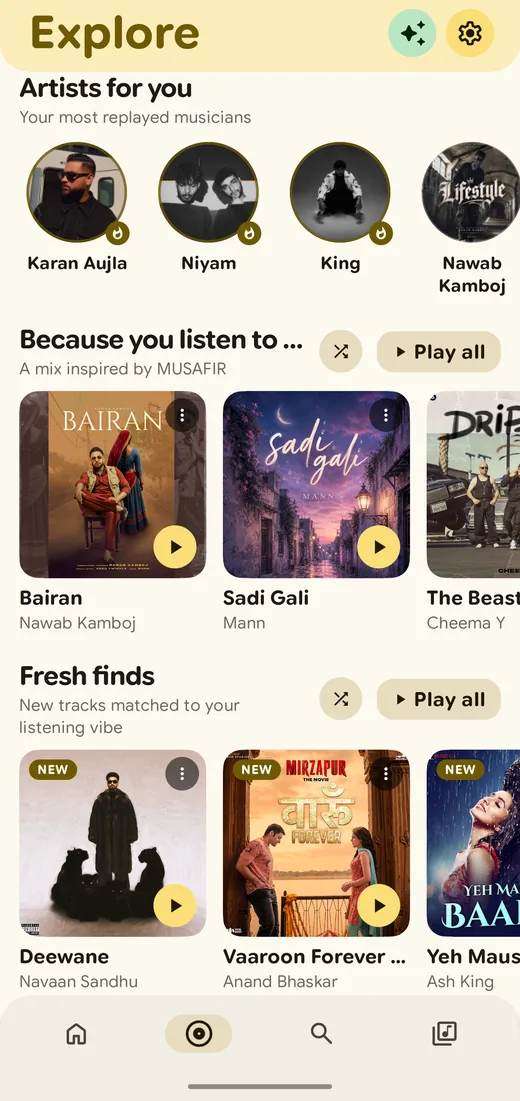
Fetched live from GitHub, so this is always the newest build.
Universal APK, signed and ready to install. Works on every supported CPU.
Download v1.8.11app-universal-release.apk · 71.6 MB · 1,862 downloads
A desktop build is in the works. Follow the dev channel to hear about the first release.
Windows build unavailableYour phone, YouTube Music, Telegram and your playlists, all in one library.
Made for people who care about sound quality, clean design and no ads.
No ads anywhere in the app. Free to use and open source under GPL-3.0.
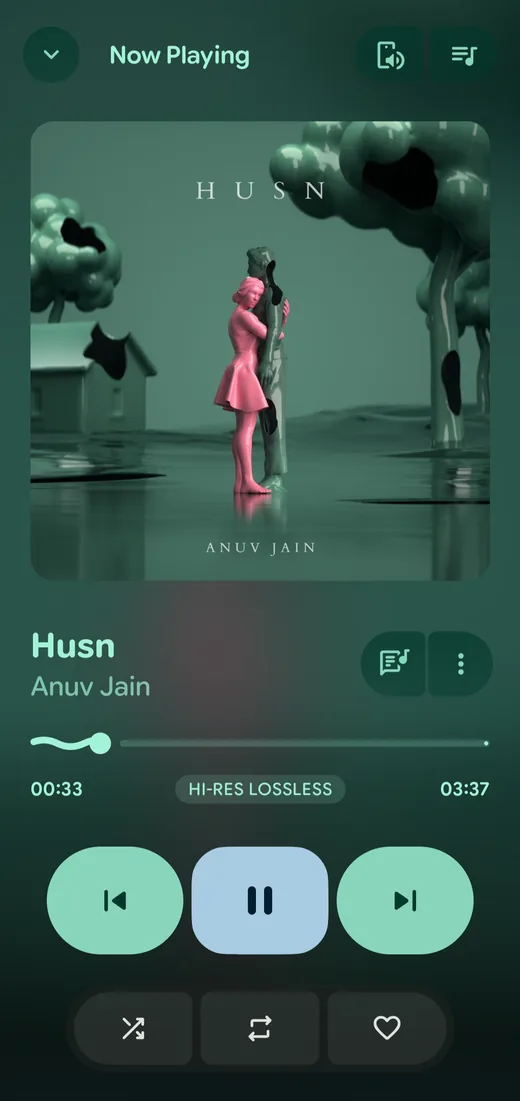
Play FLAC, ALAC and WAV in full quality, with a Hi-Res label in the player.
Search and stream YouTube Music, sync your likes and playlists, and play audio from Telegram channels and chats.
LRCLIB lyrics with timing offset, translation and romanization, saved for offline use.
Presets, bass boost, virtualizer, loudness enhancer and EBU R128 volume normalization.
Autoplay keeps the music going. Build mixes with Gemini, DeepSeek or OpenAI, or use a Last.fm Smart Mix.
Colours follow your album art or your wallpaper, in light and dark themes.
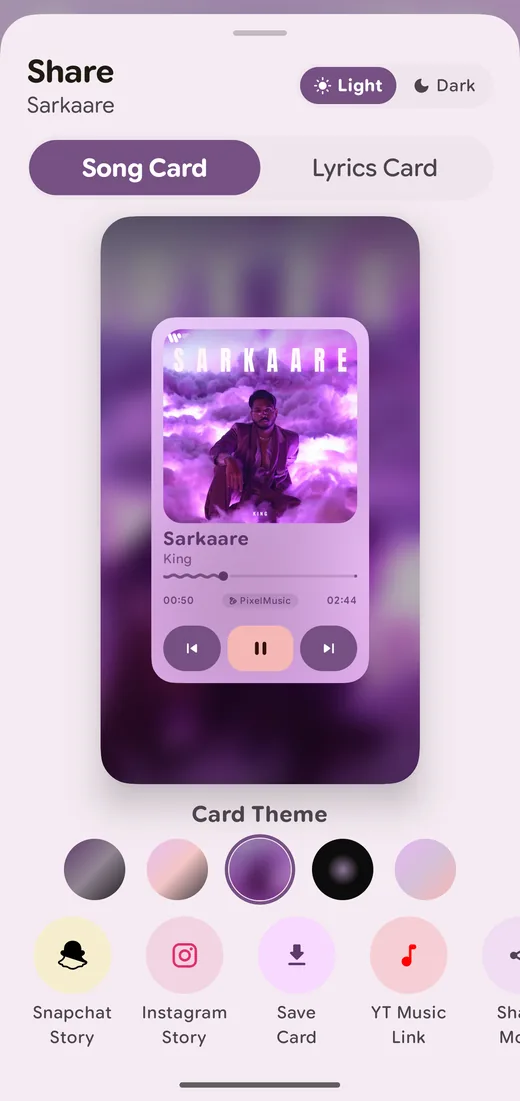
Make song and lyrics cards for Snapchat and Instagram stories with themes and a wavy seekbar.
Android Auto, Chromecast and a Wear OS companion, plus Last.fm and ListenBrainz scrobbling.
Scan your folders and browse songs, albums, artists and playlists, all available offline.
Phased loading and tuned R8 rules keep the app quick, even with a large library.
Shape-morphing containers, spring motion and a floating pill navigation bar, built with Jetpack Compose.
Real screenshots, with colours that change to match your music. Swipe, tap a screen, use the arrows, or pick a dot.
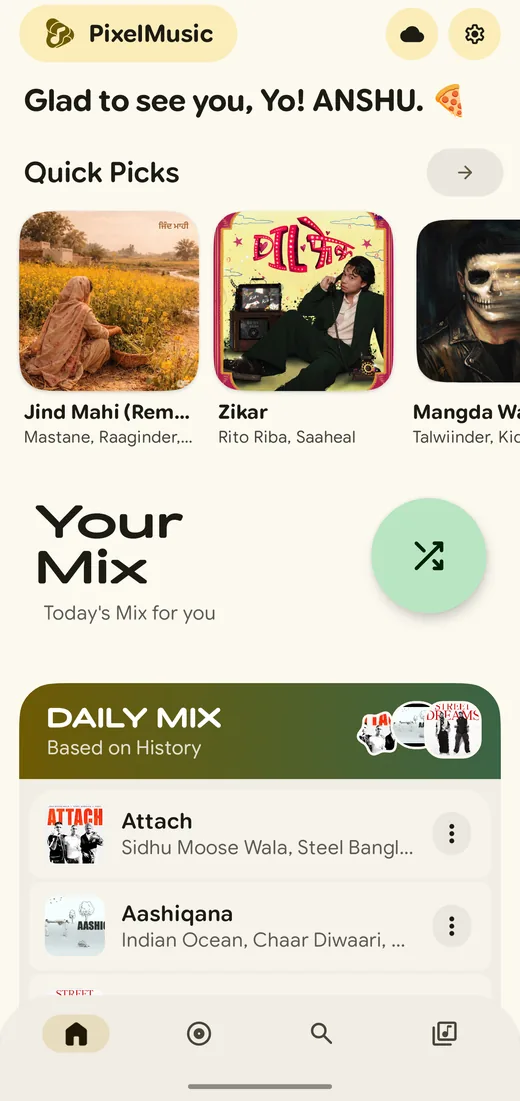
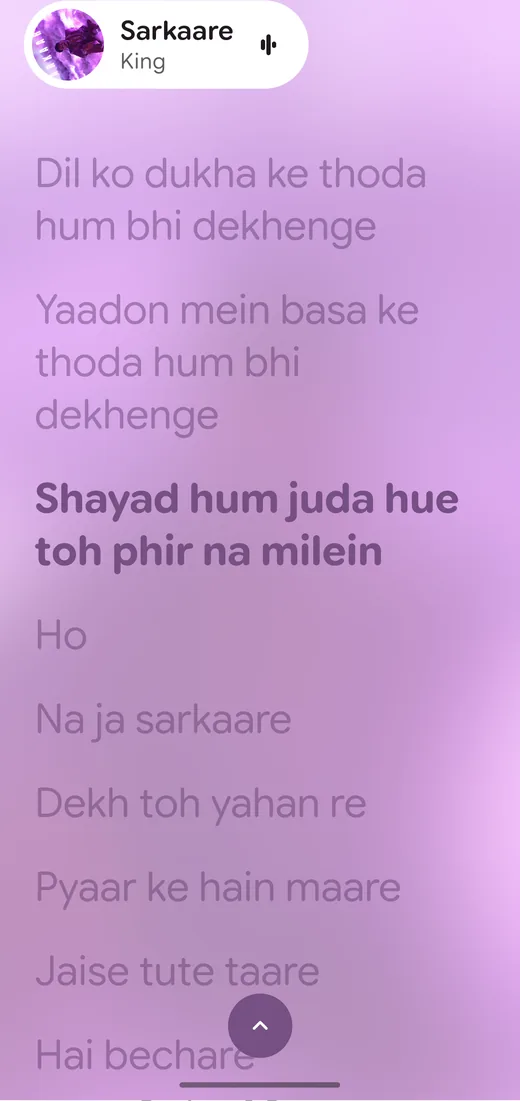
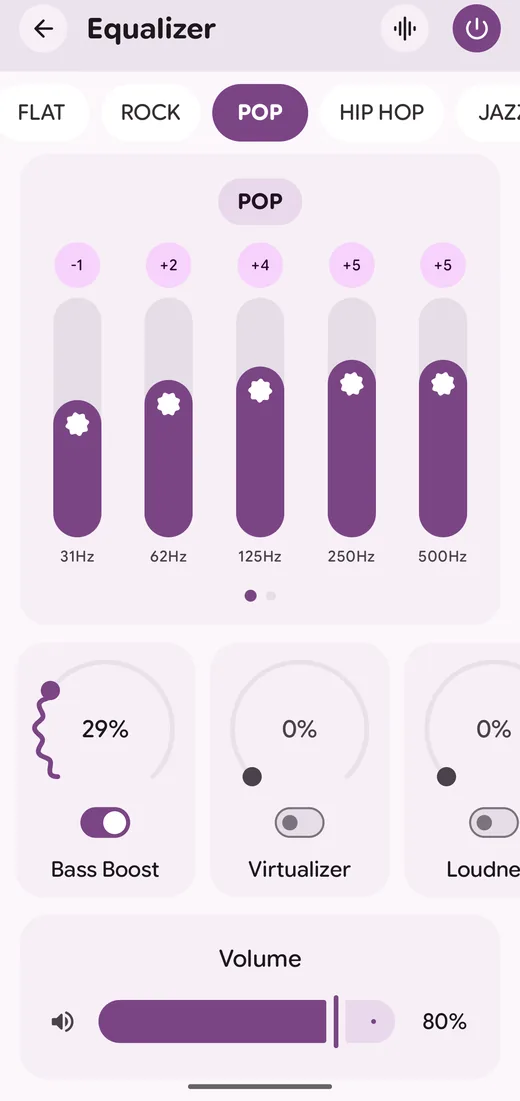
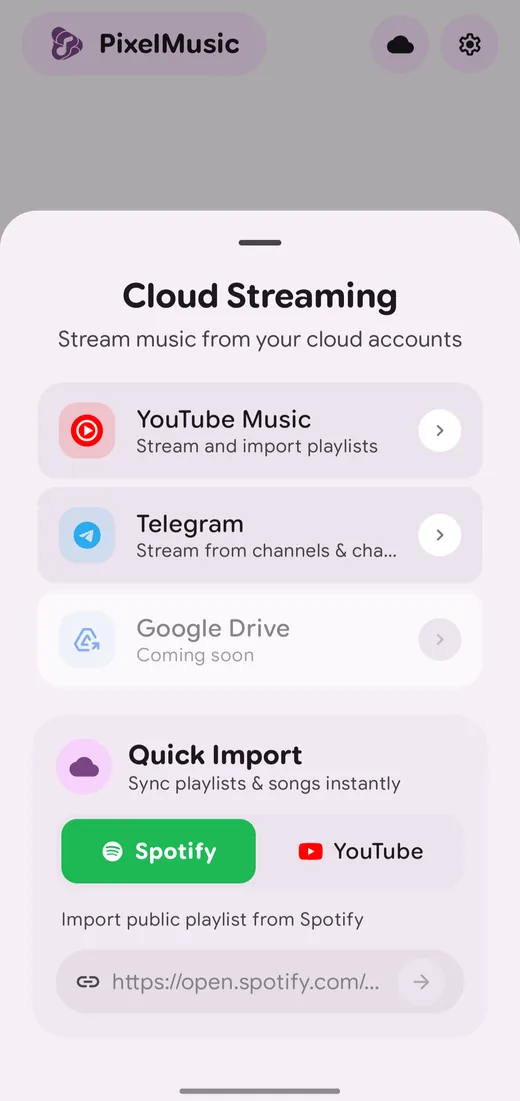
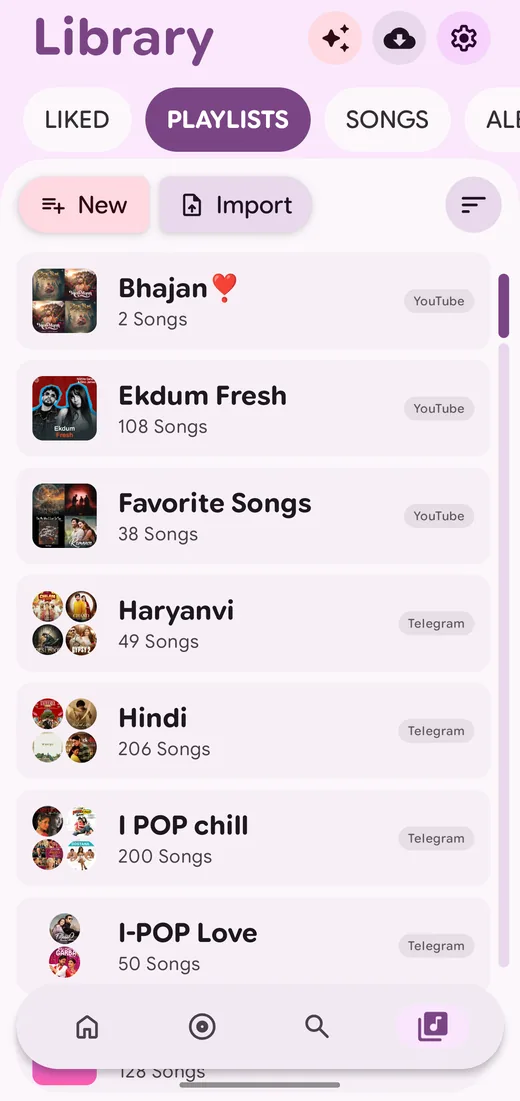
PixelMusic uses Media3 ExoPlayer with an FFmpeg extension, so it plays most music files you own.
| Format | Type | Notes |
|---|---|---|
| FLAC | Lossless | Hi-Res files supported |
| ALAC | Lossless | Apple Lossless in .m4a files |
| WAV | Lossless | Uncompressed audio |
| APE | Lossless | Played through the FFmpeg extension |
| AAC | Lossy | Common .m4a and .aac files |
| MP3 | Lossy | The most common music format |
| OGG and OPUS | Lossy | Efficient formats used by many streams |
| Dolby Digital, Digital Plus and Atmos | Surround | AC-3, E-AC-3 and E-AC-3 JOC. Depends on the decoders in your device |
Also included: a 10-band equalizer, EBU R128 volume normalization, crossfade from 0 to 15 seconds, and gapless playback.
Connect the sources you already use. These integrations are unofficial.
| Source | Status | What you can do |
|---|---|---|
| Local files | Ready | Scan your folders and play offline. |
| YouTube Music (unofficial) | Ready | Search, stream, and sync liked songs, playlists and artists after a secure WebView sign-in. For personal use with content you are allowed to access. |
| Telegram | Ready | Stream audio from your channels, chats and saved messages. |
| Spotify and YouTube playlists | Ready | Quick Import of public playlists by link. |
| Deezer artwork | Ready | Artist pictures are fetched automatically. |
| Google Drive | Coming soon | Stream music from your own cloud folders. |
Get PixelMusic from the PixelMusic repository on GitHub.
Open the file. If Android asks, allow installs from your browser or file manager.
Allow access to your music files. Sign in to YouTube Music or connect Telegram to stream.
PixelMusic, also searched as Pixel Music, is a free and open-source Android music player. It plays local files and streams from YouTube Music and Telegram, and it is built with Jetpack Compose and Material 3 Expressive.
Yes. There are no ads anywhere in the app. PixelMusic is free to use and open source under the GNU GPL v3.0.
Android 11 (API 30) and above.
FLAC, ALAC, WAV, APE, AAC, MP3, OGG, OPUS, and Dolby Digital, Digital Plus and Atmos (E-AC-3 JOC). Dolby playback depends on the decoders in your device.
Yes. Sign in to YouTube Music inside the app, then search, stream and sync your liked songs, playlists and artists. This integration is unofficial and meant for personal use with content you are allowed to access.
Yes. PixelMusic can stream audio from your Telegram channels, chats and saved messages.
From LRCLIB. You can fix timing with an offset, translate lines, and see romanization. Lyrics are saved for offline use.
Download it from the PixelMusic repository on GitHub, open the file, and allow installs from your browser or file manager if Android asks. Then open the app and allow access to your music files.
No. PixelMusic is an independent, unofficial fork of PixelPlayerOSS and is not affiliated with Google, YouTube Music, Telegram or their parent companies.
Use the Ko-fi or UPI options in the Support section below. Sharing the app and sending feedback also helps.
PixelMusic is free and ad-free. If it makes your day better, you can help with development and testing through a small donation. Using the app, sharing it and sending feedback helps just as much.
anshulyadavv@fam